🍏 Für iOS
(iPhone / iPad with Safari)
Open Safari and go to Öffi-Radar.
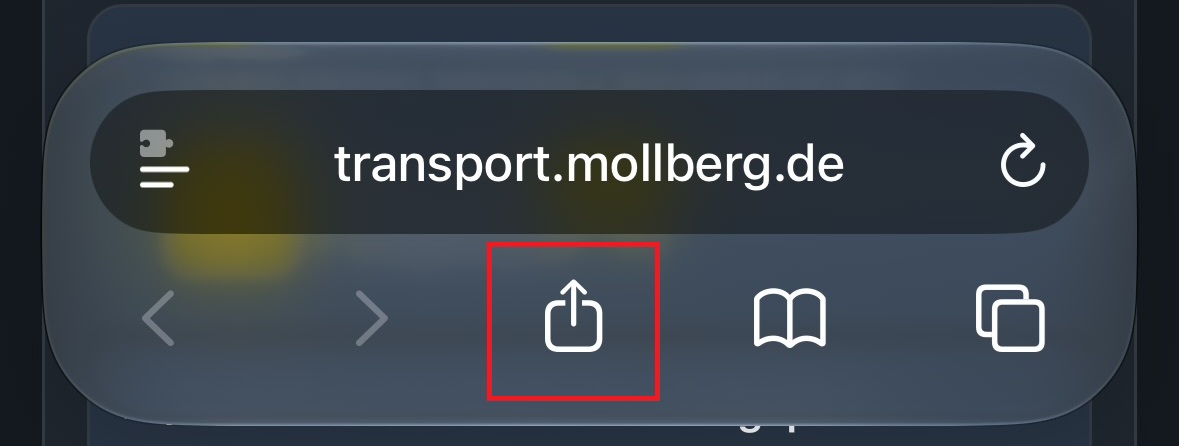
Tap the Share icon (the square with the upward-pointing arrow) at the bottom of the Safari bar.
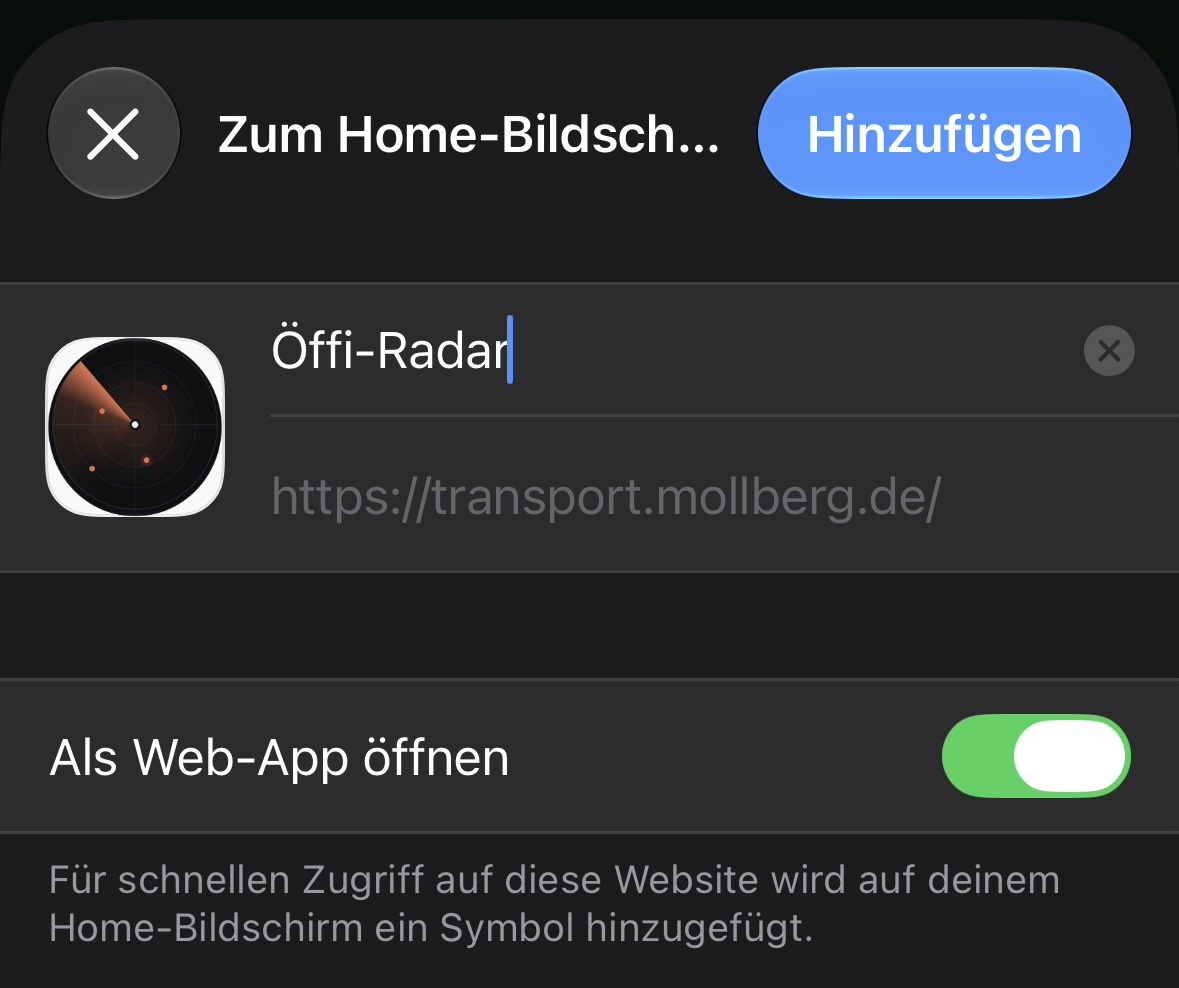
Scroll down in the menu and select “Add to Home Screen.”
Tap “Add” in the upper-right corner.
Done! The app icon will now appear on your Home Screen.